22 October 2026
Meta Partnership Ads: How They Work with Creators
The creator's post is live, the brand has approved it, and the next decision is whether to put paid spend behind it from the brand's ad account. Meta Partnership Ads let a brand promote eligible creator content as a paid ad that uses the creator's identity, while the brand manages the campaign through Meta's advertising system. That makes them different from boosting a post published by the brand itself.
The important work isn't just finding the right setting in Ads Manager. The brand and creator need to agree on permissions, usage rights and disclosure before launch, then keep paid results distinct from organic post performance.
What a Meta Partnership Ad Actually Is
A Meta Partnership Ad is a paid ad that lets an advertiser run a campaign with a partner, including a creator, using authorised partnership content. Meta identifies it as a paid advertising product, not an organic post with extra reach. (Meta's overview of Partnership Ads)

The creator's identity and post remain attached to the ad. The brand pays for delivery and sets the campaign objective, audience, budget and placements in Meta Ads Manager. In other words, the creator supplies and authorises the post, while the brand controls paid distribution.
That differs from boosting the brand's own post. With a boost, the brand's account is the visible advertiser and the promoted content comes from the brand's page. With a Partnership Ad, the authorised creator post appears with the creator's identity, while the brand applies its paid campaign settings. This gives the brand a way to distribute creator content beyond the post's organic audience, without asking the creator to hand over account access.
A practical example is a creator publishing a product demonstration on Instagram. If the creator authorises that post for use, the brand can build a paid campaign around the post rather than recreating it as a brand-owned ad. The creator's post remains the creative; the brand's ad account handles spend and delivery.
Creative details still matter. A strong opening, a clear message and suitable audio can affect whether the asset fits the placement and objective. For guidance on choosing sound that drives ad results, check that the track is appropriate for the ad's intended use before launch.
From Branded Content Ads and Whitelisting to Partnership Ads
Marketers may hear whitelisting, branded content ads and Partnership Ads used to describe similar activity. The terminology can vary across teams, but the current Meta product name is Partnership Ads.
The central idea is that a brand runs paid media using an authorised creator post and the creator's identity. People who still say “whitelisting” are often referring to this kind of creator-authorised advertising. “Branded content ads” is also an older term that may appear in campaign conversations or older material.
That doesn't mean every use of the words describes exactly the same permissions or contract. A creator may grant permission for one post, a set of posts or an account-level relationship. The brand still needs to confirm what the agreement allows, rather than assuming that familiar shorthand grants broad rights.
Working rule: Use “Partnership Ad” when configuring the campaign in Meta, then describe the exact post, permissions and paid usage in the creator agreement.
The naming distinction also helps separate the ad format from the commercial deal. Meta's tools provide a way to authorise and run the ad, but they don't decide the creator's fee, the permitted duration or the rights the brand receives. Those terms need to be agreed by the parties.
Two Setup Paths in Meta Ads Manager
A brand needs the creator's permission before it can run the creator's post as a Partnership Ad. Meta offers two routes, set out in its page about partnership ad permissions: an ad code for a specific post or account-level permission. Menu names change from time to time, so follow Meta's current help pages for the exact steps.
Use an ad code for a post
With this route, the creator generates an ad code for the content they're authorising and shares it with the brand. Meta's guide to creating a partnership ad code says a creator can make one while posting on Instagram, or from content already published on Instagram or Facebook, and that up to two partners can use a code at a time. The brand enters the code in the ad setup flow and selects the eligible partner content. This is useful when the agreement covers a particular post, because permission is tied to the asset rather than an ongoing account relationship.
The creator's task is to locate the eligible post and generate the code in their account. The brand's task is to enter it in Ads Manager and confirm that the correct post and creator identity appear in the preview.
Grant account-level permission
The alternative is permission at account level. Under Meta's guide to managing account-level permissions, the brand sends a request through Creator Marketing Hub and the creator accepts it there or in the Instagram or Facebook app. After that, the brand can create partnership ads with that creator without asking again for each post. This suits an ongoing relationship.
The creator must approve the relationship from their own account, and can remove either kind of permission later from the app. The brand should verify that the permission is active and that the intended post is eligible before building the campaign.
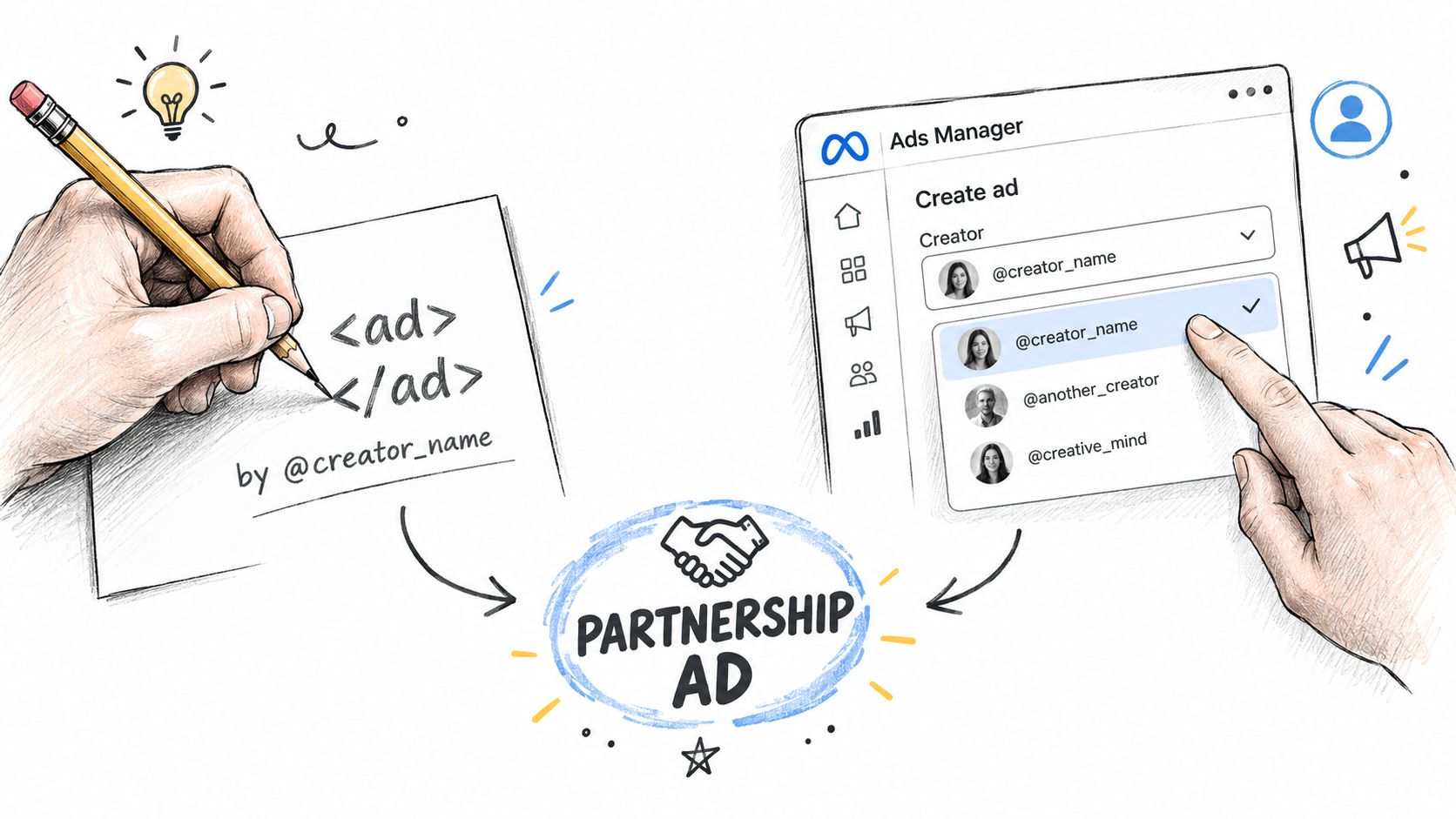
Once authorised, the brand selects the partner-post creative and configures the campaign objective, audience, placements and budget. It should check the preview carefully. A permission error, the wrong post or an unexpected placement can all stop the campaign from matching the agreed plan.
The creator's authorisation is not the same as a transfer of account control. The brand needs the agreed advertising permission, not the creator's login.
Rights, Usage and the Paid Amplification Fee
An organic post going live doesn't automatically grant the brand the right to use it as paid media. The brand and creator should agree the terms in writing before publication, so neither side has to interpret a platform permission as a complete commercial agreement.
Specify how long the brand can run the ads and where they may appear. Name the intended placements, such as feeds, Stories or Reels, and the countries or regions covered. State whether the brand may edit the post, create cut-downs or use other versions of the asset. The agreement should also record the fee for paid usage, separately from any payment for creating or publishing the organic post.
A usage rights calculator can help structure a discussion about paid-use fees. It doesn't replace agreement between the parties. The brand and creator still need to settle the scope and amount for their specific campaign.
| Scope | Organic only | Paid amplification | Full buyout |
|---|---|---|---|
| Where the content appears | Creator's organic post | Agreed paid placements | Use defined in the contract |
| Who distributes it | Creator | Brand through the agreed ad account | Brand, within the agreed scope |
| Duration and territory | Set for the organic post | Specify campaign period and geography | Define the rights period and territory |
| Editing and cut-downs | Not assumed | Allow only if agreed | Set expressly in the contract |
The table is a planning aid, not a standard set of legal terms. A full buyout can mean different things in different agreements, so the contract should say what rights are being transferred, where they apply and for how long. For a more detailed process, see how to get influencer content rights for marketing.
Testing Creative and What to Measure
The creator post and the paid campaign answer different questions. Organic performance can help the brand assess how an idea lands with the creator's audience. Paid delivery shows how the asset performs under the brand's chosen campaign settings. The brand should keep those views separate from the start.
A useful workflow is to test the concept organically, then consider paid amplification for the post that best fits the campaign goal. In Ads Manager, the team can compare creative variations, such as different openings, hooks or captions, where the format and permissions allow. Keep the creator's voice intact when testing. A polished edit that removes the reason the post felt native may no longer be testing the same creative.
| Record separately | Why it matters |
|---|---|
| Creator post ID and campaign ID | Connects the original post to the paid activity |
| Spend, impressions and reach | Describes paid delivery without labelling it as organic reach |
| Video-view thresholds and clicks | Shows how people engaged with the ad |
| Conversions and attributed revenue | Connects delivery to the campaign's chosen outcome |
The campaign report should preserve these as separate fields. That prevents paid impressions from being reported as organic creator reach. If the team needs to assess whether the spend caused incremental results, it can plan a holdout or matched audience comparison, provided the campaign setup supports a meaningful comparison.
Creative needs ongoing review too. If results change as the same asset continues to run, the team should inspect the audience response and the creative itself before making a decision about spend. These creative fatigue examples for Meta campaigns offer a useful prompt for that review. For a broader measurement framework, see how to measure influencer marketing using the metrics that matter.
Disclosure That Survives Paid Amplification
The Meta “Paid partnership” label doesn't automatically make every ad clear to viewers. The Advertising Standards Authority says a platform label may be sufficient only when it is upfront, clear and prominent. Its guidance also says an additional “Ad” label may be needed if the platform label doesn't make the advertising recognisable enough. (ASA guidance on recognising ads in social media)
The disclosure needs to match the commercial relationship. That includes payment, gifted products, affiliate commission and other arrangements that could affect how the content is understood. The brand should check the caption, opening of the video, Stories and Reels, and make sure the disclosure is visible before a viewer engages with the content.
A disclosure in a creator's biography or in a different post doesn't cover the promoted asset. The ASA's disclosure report says disclosure is needed in each piece of advertising content, and that influencers and brands cannot rely on a disclosure in a bio or in other posts. (ASA influencer ad disclosure report)
Paid amplification can give unclear disclosure wider distribution. The brand should approve the final asset and its disclosure before launch, then retain the approved version and relevant campaign records. For further compliance context, see influencer marketing compliance guidance, and check the regulator's guidance for the circumstances of each campaign.
Running This as a Repeatable Program
A repeatable process keeps the rights, permissions and reporting connected. The brand approves the creator and concept, agrees paid usage in writing, tests the content, launches the authorised post as a Partnership Ad, measures paid and organic activity separately, and checks disclosure on every promoted asset.
For teams that need operational support, Sup runs creator campaigns for brands and agencies, including creator sourcing, negotiation, contracts, payments and tracking. The client approves every creator and every post, and pays only for posts that go live.
Teams that run creator content as ads on both platforms can read more about Meta partnership ads and TikTok Spark Ads. Ecommerce teams can find more detail on creator advertising for ecommerce. For how brands use this format, see our research page on Spark Ads, whitelisting and partnership ads. Brands that pair paid creator posts with a TikTok storefront can also read how TikTok Shop works for brands.
More on channels
See how many creators post about you and your competitors
Type in your brand's Instagram handle and we count the creators who post about you and about your five closest competitors. It takes about a minute and it is free. Or request a demo and we will show you the creators in your niche and walk you through the dashboard.
 Book a call